The Warehouse

Know what's on the shelf, without asking anyone to look.

Stock, locations, counts and labels — kept straight by the system, not by the one person who remembers where everything lives.

Any starting point. Not just a tidy one.

Most warehouse software assumes you're starting clean. TOWR was built for the warehouse you actually have — including the one nobody wants to admit to.

01

Already organised, and growing

The racking's in and the labels mostly hold. The system just has to keep pace as the warehouse gets bigger.

02

Outgrown the spare room

Stock has been living wherever there was space. It's time for an actual system, built from nothing.

03

In place, but a mess

Real racking, years of history, nobody quite sure what's where anymore. The reorganisation job, not the greenfield one — and TOWR works with it as it is.
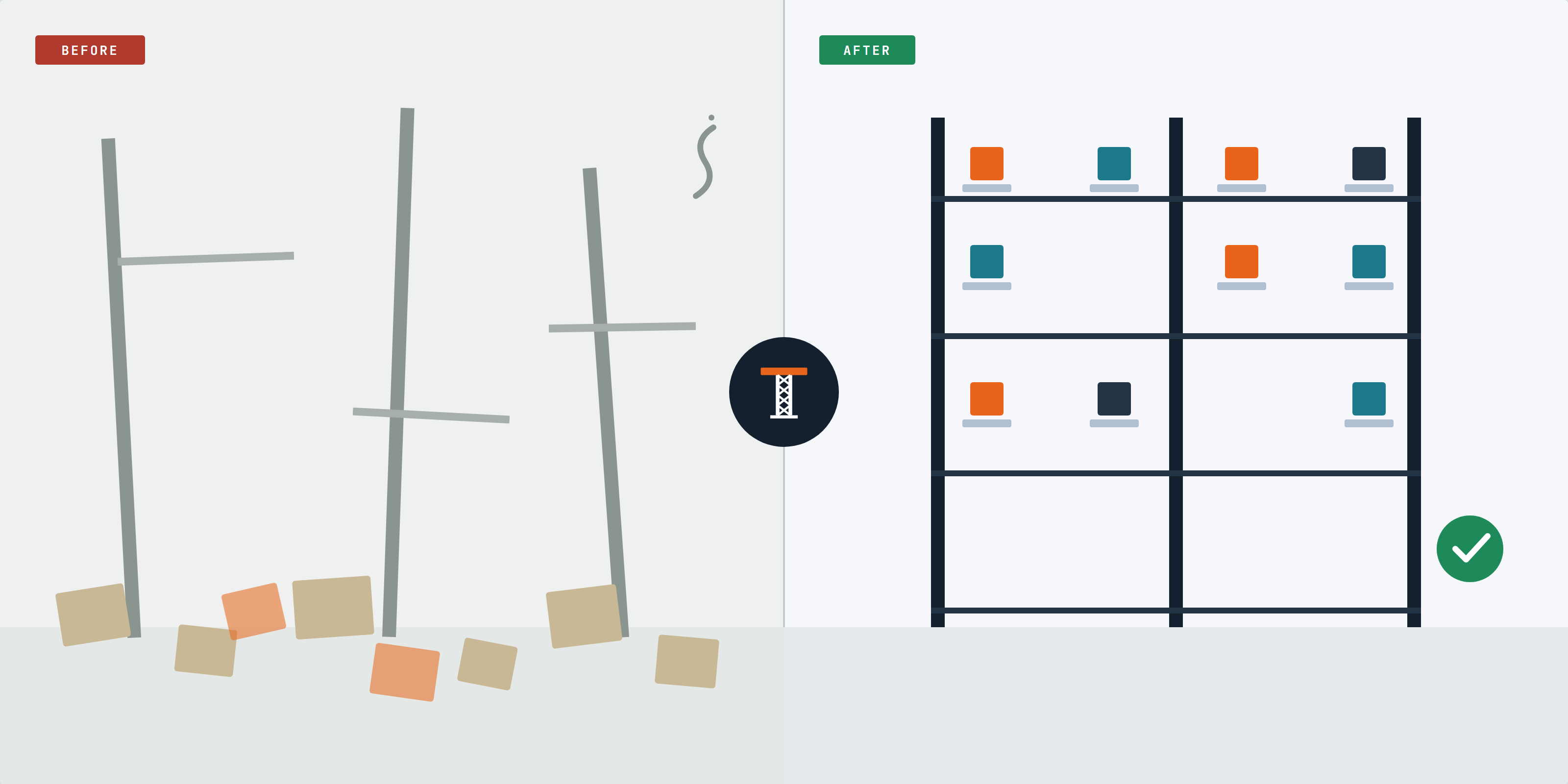
Before: boxes on the floor, nothing labelled. After: rows, labels, a clear grid.
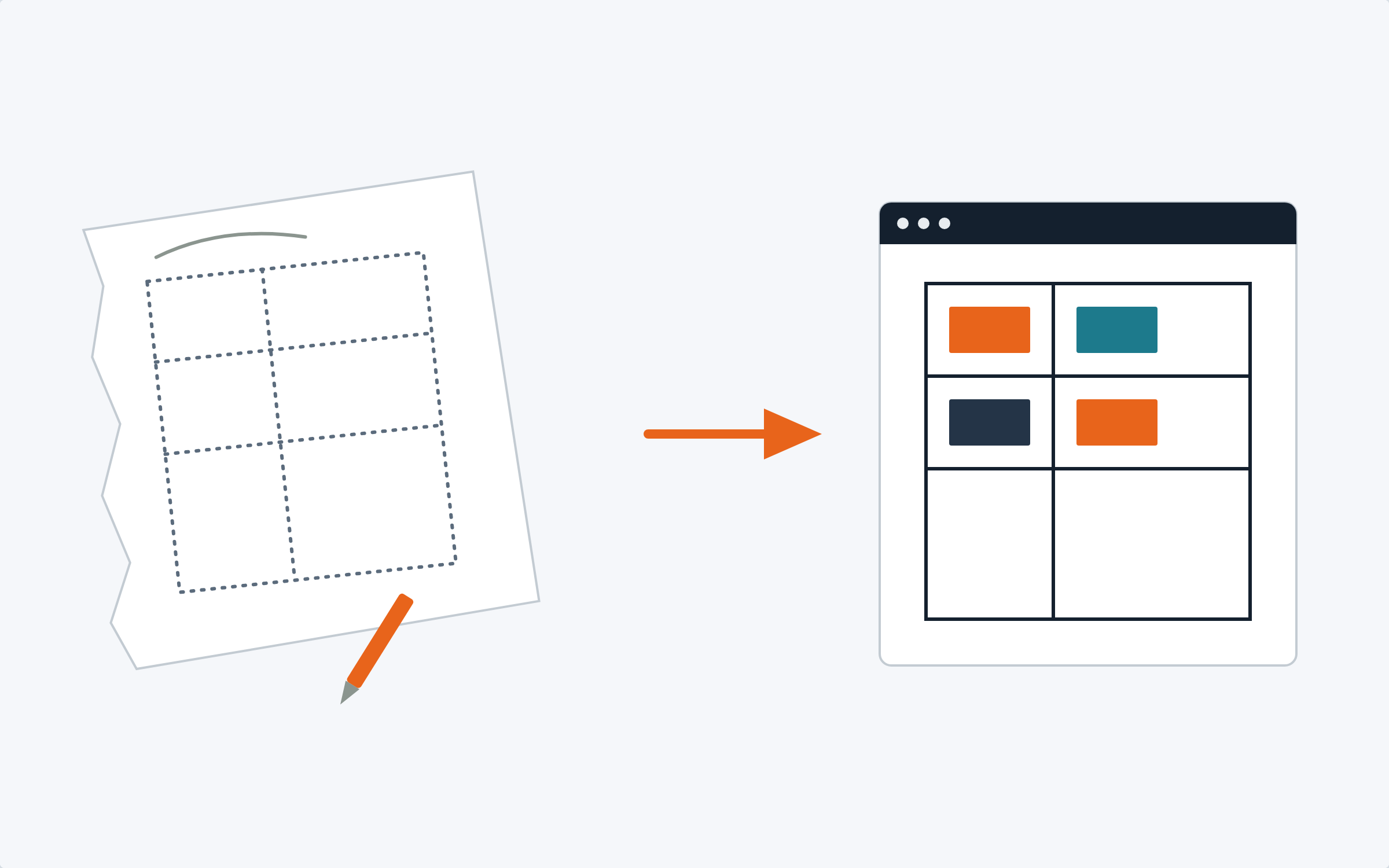
A napkin sketch of a floor plan resolving into a clean digital layout
Smart Upload

Draw it on a napkin. Or hand over the plan.

Either way, Smart Upload reads it and builds your warehouse from it — rows, racking, and where everything sits — so you're not typing in a floor plan by hand.

Scan to count — walk the aisle, not the spreadsheet
Print a label straight from your phone
Group parts by the machine they belong to
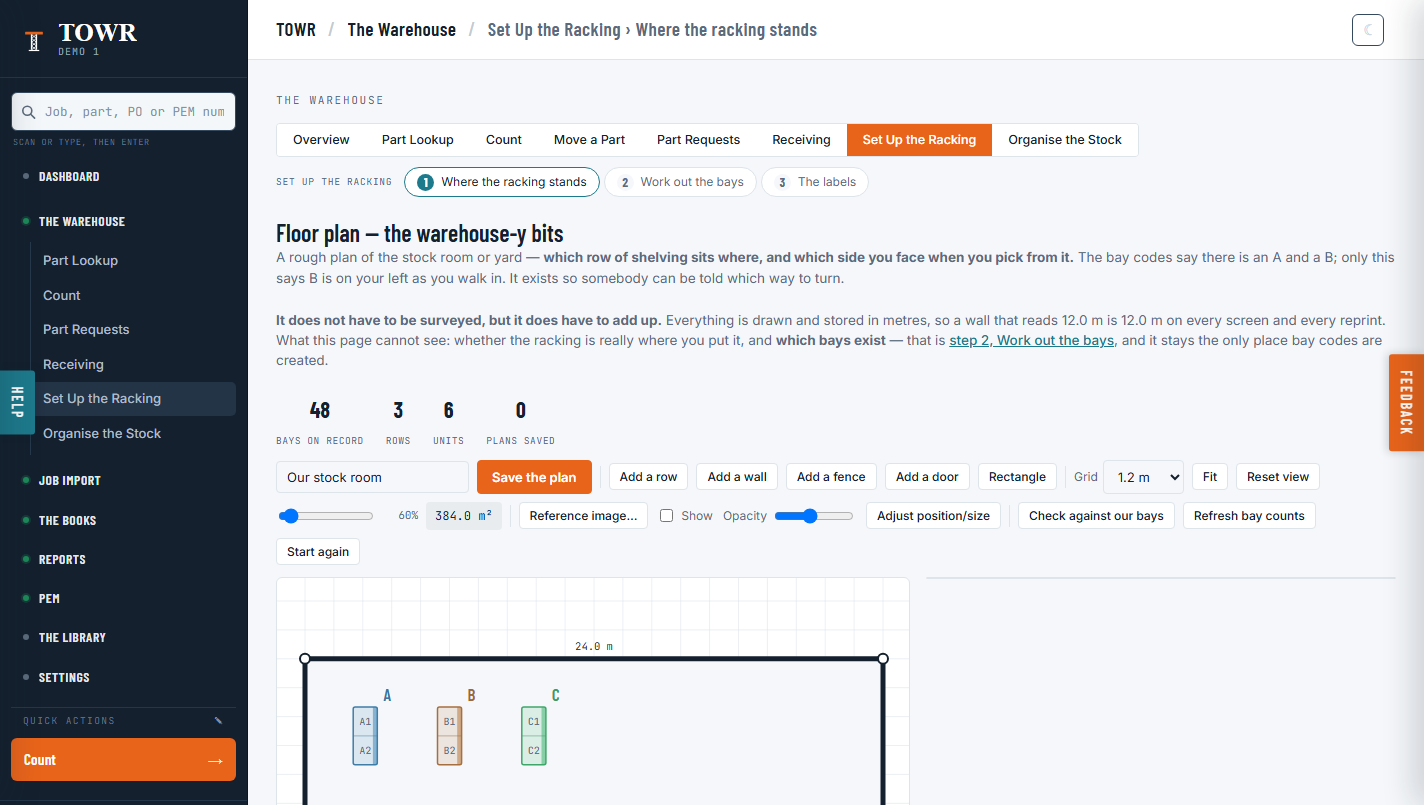
The warehouse designer showing a floor plan with three racking rows drawn to scale, and bay/row/plan counts above it
The designer

Draw the floor plan once. Drill down to the part.

The floor plan is drawn to scale in metres — a wall that reads 12 m is 12 m on every screen and every reprint — and it's checked against how many bays actually exist on record, not just how many the drawing implies. From the plan you're one step from a row of racking, one more from the bay within it, and one more from the part sitting there.

The floor plan — rows, racking, walls and doors, to scale
A row, then the bay within it
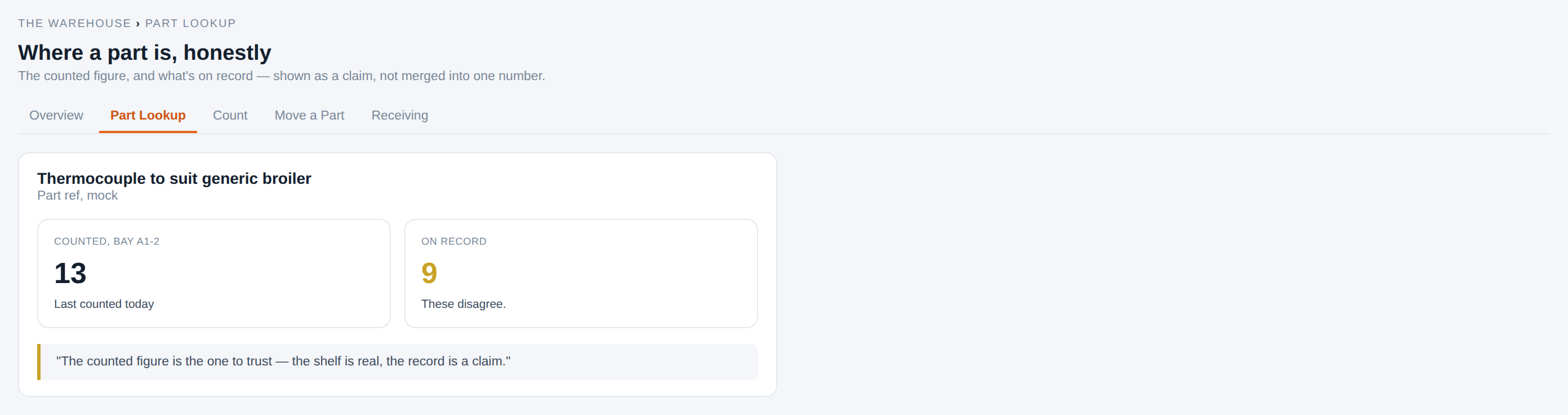
The part itself — what's counted there, next to what AroFlo currently claims

Screenshot pending — one level deeper than the floor plan above: a single part, the bay it's counted in, the quantity counted there, and AroFlo's own number sitting right next to it whenever the two disagree.

A real screenshot of this screen exists but isn't used here yet — it carries a placeholder tenant name in its footer that a fix already tracked (PEM-704) will correct. This box is sized to match it exactly, so the swap is a drop-in.

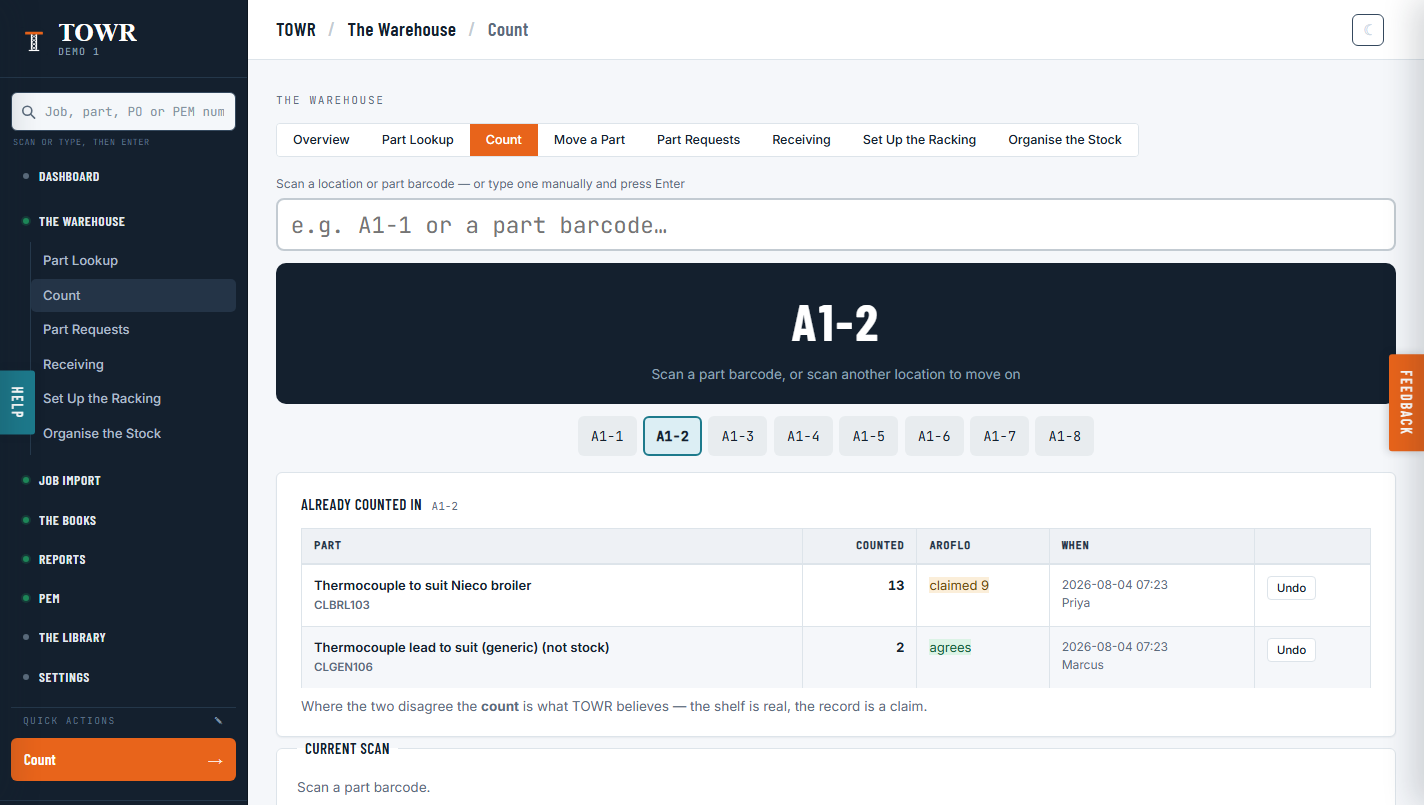
The Count screen mid-stocktake: bay A1-2 selected, two parts already counted, one showing a variance against AroFlo

Scan a bay. See straight away where AroFlo disagrees.

Scan a location or a part barcode and TOWR shows what's already been counted there, line by line — each one next to what AroFlo currently says, with an Undo if a line was entered wrong. Where the two disagree, TOWR is plain about which figure it trusts: the count is what TOWR believes — the shelf is real, the record is a claim.

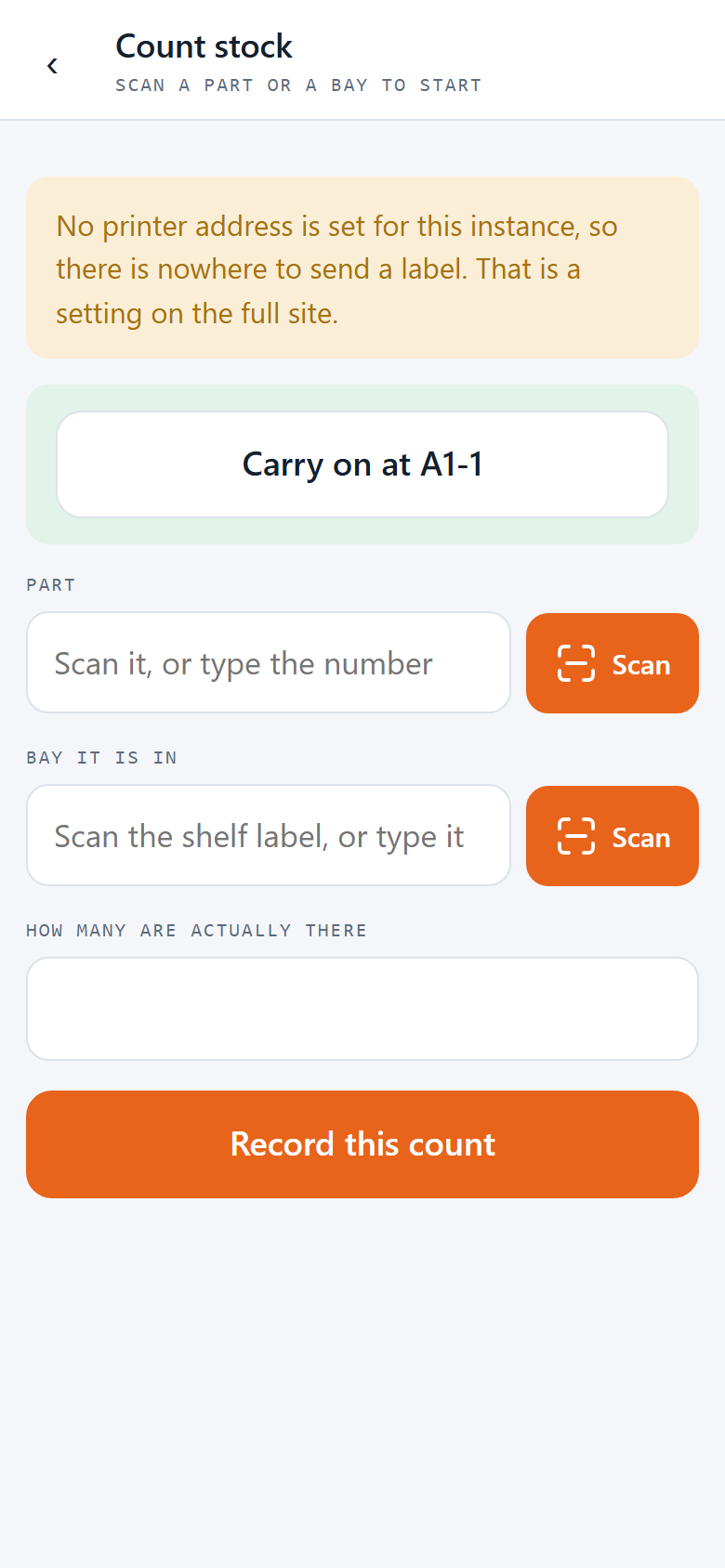
The same count screen on a phone: scan a part, scan the bay it's in, type how many are actually there

The same count, walking the aisle

Counting from a phone is the same screen, cut down to what a person standing at the shelf actually needs: scan the part, scan the bay, type how many are really there. And if a site's printer isn't set up yet, the phone says so plainly instead of pretending a label went somewhere — counting still works either way.

Receiving: type what arrived, not what was ordered.

A delivery lands, you type the order or docket number off the slip, and record what's actually in the boxes — short deliveries and substitutions included, because a packing slip is evidence of what arrived and a purchase order is only evidence of what was meant to. Recording a delivery here does not write it into AroFlo: you still receive it there yourself, exactly as today, until that's built.

Type the order or docket number — a leading zero makes no difference
Record what actually arrived, not what the PO says should have
Print labels for it straight away

Screenshot pending (PEM-704) — the Receiving screen: a delivery being logged against its order number, with a plain note that this step doesn't reach AroFlo on its own yet.

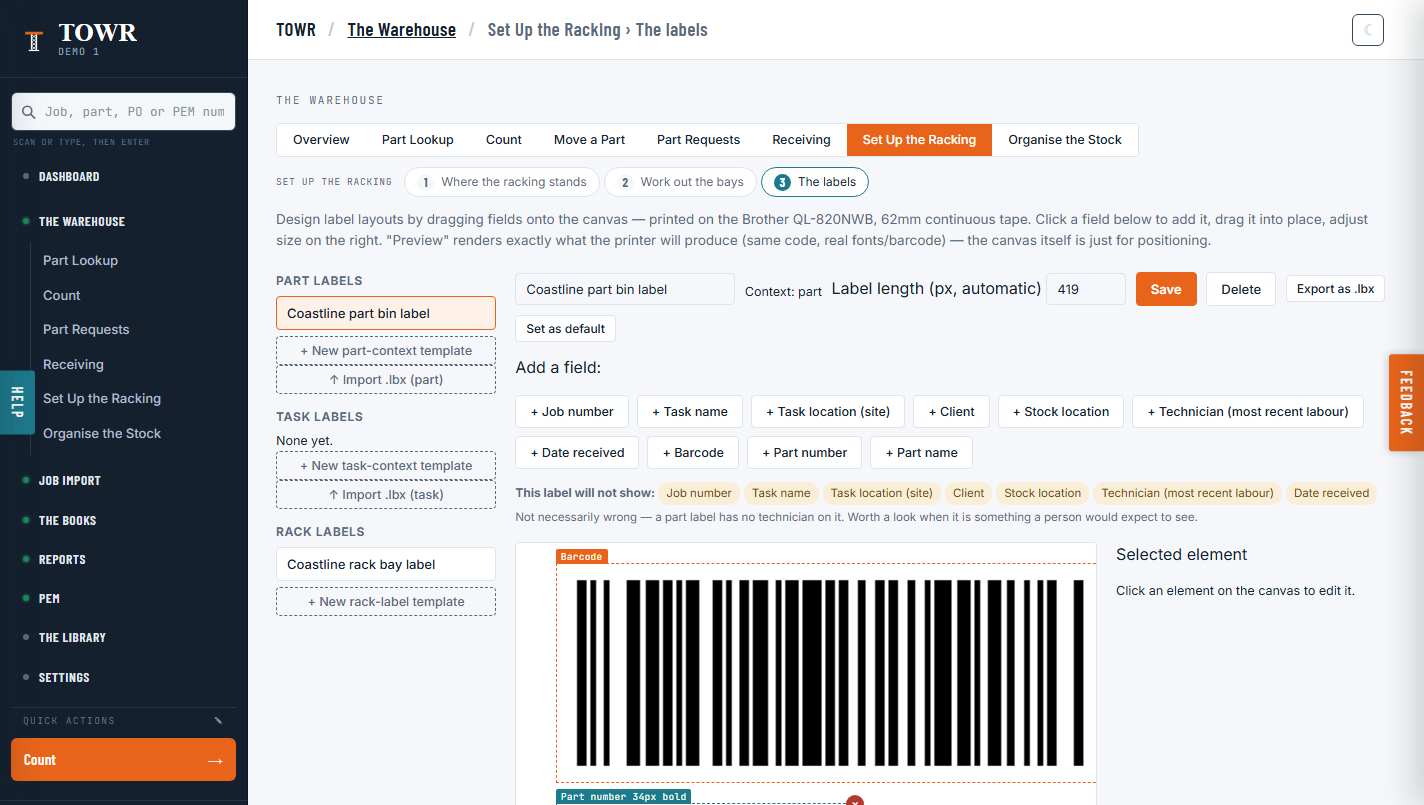
The label designer: fields dragged onto a part-bin label canvas, with a barcode preview rendering exactly what the printer will produce
Labels

Design the label. See exactly what the printer will make.

Drag fields onto the canvas, resize them, and Preview renders exactly what the printer will produce — same code, same fonts, same barcode, because the canvas itself is only for positioning. And it tells you plainly what a label won't show: a part label with no technician field on it isn't wrong, but it's flagged so nobody's surprised at the shelf.

Printer health, checked before the batch

Before a print run, TOWR checks what it actually can: which tape is declared for this printer and whether anyone stated that or it's still the coded default, whether a real font resolves (the fallback prints text at about 8 px), and whether the printer answers on the network at all. What it can't check is whether the physical roll matches, or whether a label really came out the other end — the network path can't read that back, so a failed job and a successful one look identical from here. TOWR says so rather than claiming otherwise: sent is not the same fact as printed.

Screenshot pending — no shot of this panel exists yet. It sits next to the print button on the label designer and the part page.

The honest bit

TOWR doesn't guess. It tells you what it doesn't know yet.

Every location says what's known about it. "Never counted" and "counted, empty" aren't shown the same way — because they aren't the same fact. When something needs checking, TOWR says so, and tells you where to go and look.

Bring the warehouse you have.

We'll show you TOWR running on a warehouse that looks like yours — mess included.