Your project tracker, built in. Not bolted on.

Every trade business runs projects, whether it calls them that or not — a new site going live, a system rollout, a backlog of things that need fixing. PEM tracks all of it, and it comes with TOWR rather than being something else to buy and connect.

Everything in flight, under the project it belongs to.

Projects, issues and tasks — nested, aged, and progressing where you can see it. The list is the state of the work, not a report about it written later.

→Raise it, track it, close it — with a reason
→Status, age and progress on every item
→Support tickets live here too, next to the work
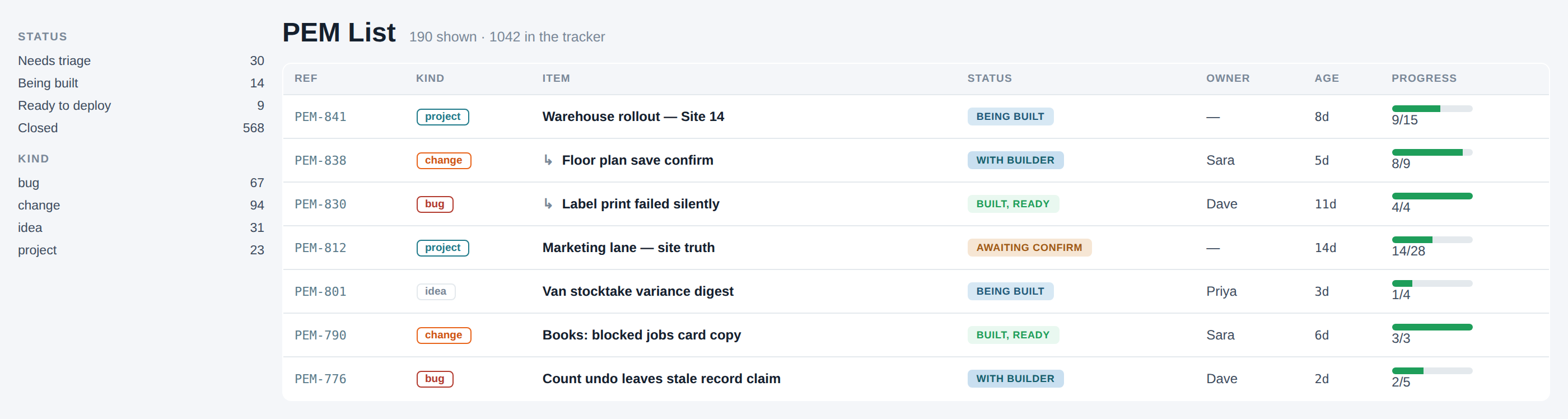
The PEM list: projects and nested items, with status, age and progress
A PEM ticket open: status, who holds it, and a short description of the work

What it is, who holds it, and only the moves that are legal from here.

Open a ticket and you see the state, the person, and the description — not a wall of fields. The next actions are the ones that are actually allowed from this status, so nobody has to remember the workflow.

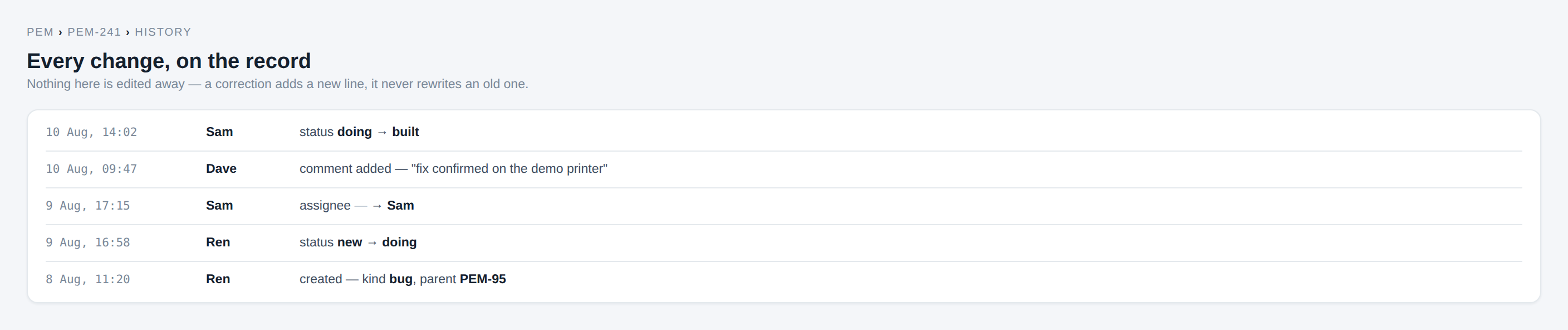
Every change on the record.

Who, what, when — status changes, comments, assignment. Nothing edited away afterwards. When something needs more than the help guide, PEM is also how a ticket reaches TOWR's own support team from inside the tool where the problem lives.

A PEM ticket history log showing status changes, comments and assignment, each with a timestamp and who made it
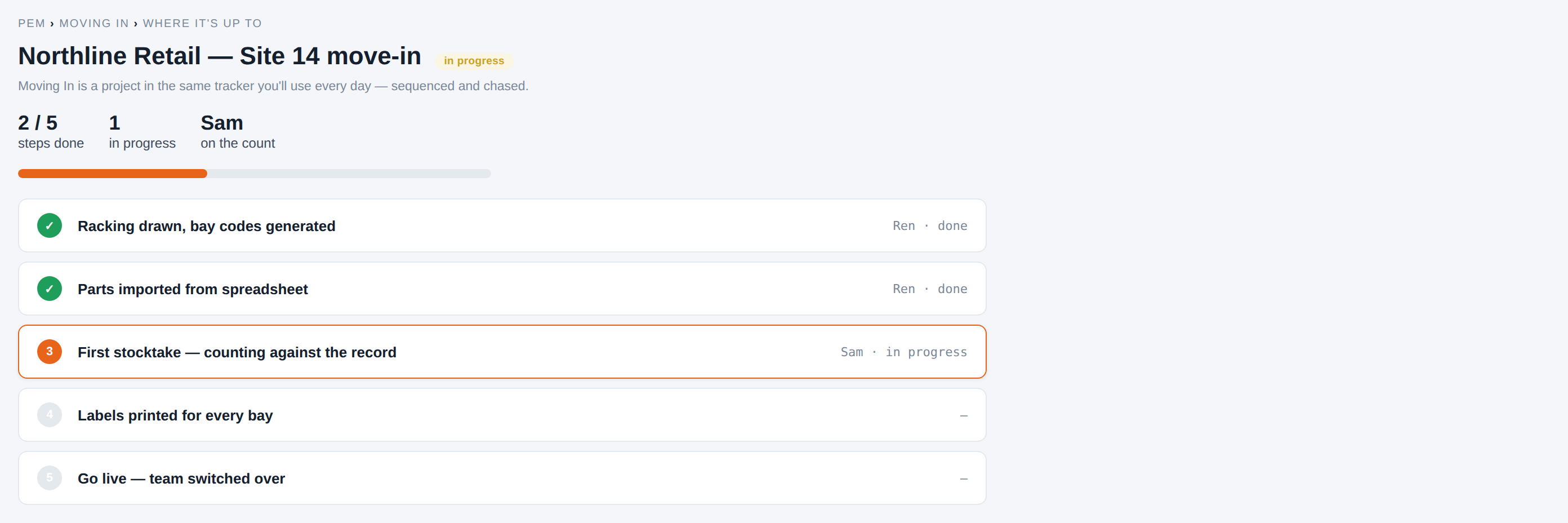
A PEM rollout project checklist with steps done and one in progress

Run Moving In inside PEM itself.

Set the move up as a project, work through it, and you've learned the tool by using it on itself — before you've used it on anything else. Sequenced, chased, and visible.

Moving In →

The wizard speeds the day. It doesn’t own it.

Same rule as the rest of TOWR: nothing is the only path. The wizard is the guided loop for a working day — triage, scope, deepen, send, QA — not a gate you have to pass. List, approval queue, item detail, and the older triggers stay open where they’re still the faster move.

Why us →
→Wizard as accelerator — parallel routes stay
→Work the same steps from the list or an open item when that’s clearer
→Automation thins out when it must; it doesn’t dead-end the job

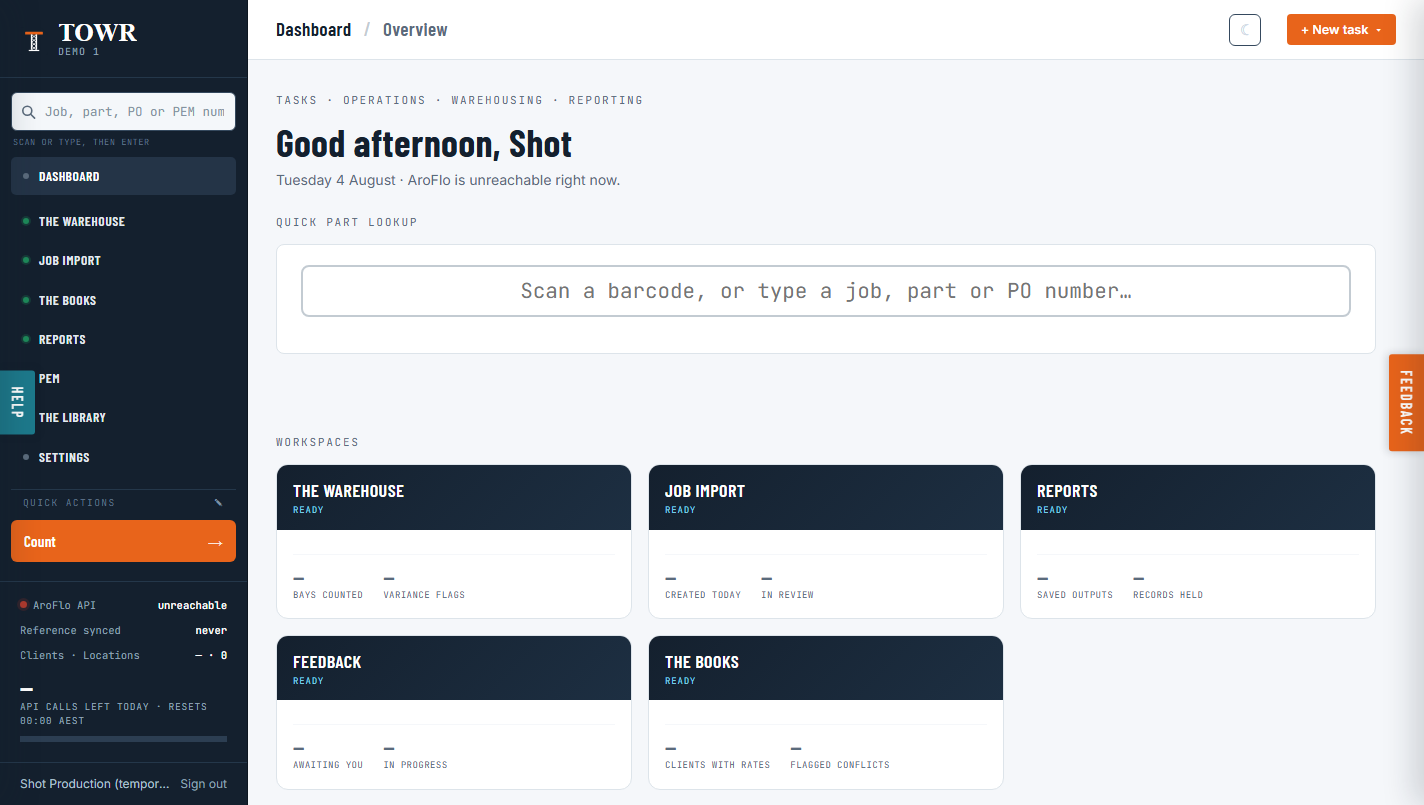
Not a separate login. The same sidebar.

PEM sits in the hub's own sidebar next to The Warehouse, The Books and Reports — because it's part of the one system, not a separate tool you connect and maintain a second login for.

The TOWR hub dashboard: sidebar listing The Warehouse, The Books, Reports and PEM, with workspace tiles for each below

It's how TOWR is built, too.

Development of the product is tracked in PEM — so every rough edge gets found by us before it gets found by you. One change to the stock screen alone went through dozens of rounds of correction before it shipped, and that history stays visible on the ticket rather than smoothed over afterwards.

One less subscription to duct-tape on.

PEM comes with TOWR. See them working together.